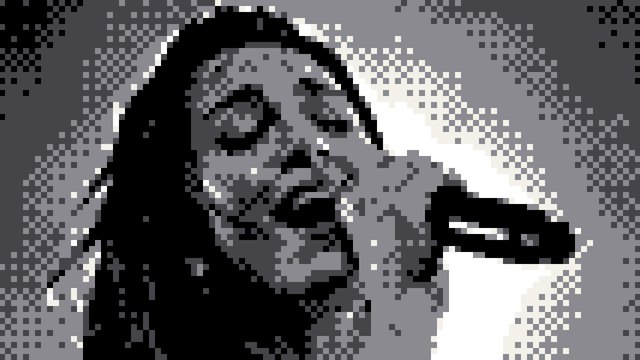
กราฟิกพร้อมใช้ สำหรับงานโชว์สดReady-made graphics for live shows.
16 ตัวใหม่: ตัวอักษรเคลื่อนไหว กราฟิกเลเซอร์โชว์ เรขาคณิต จอ HUD ไซไฟ ทรานซิชัน โลโก้เคลื่อนไหว และอีกมาก ลากใส่ Resolume แล้วเล่นได้เลย16 new sources and effects: kinetic type, laser-show graphics, geometry, sci-fi HUD readouts, transitions, logo animation and more. Drop them into Resolume and play.
ไม่ต้องหา stock ไม่ต้องเรนเดอร์ กดแล้วขึ้นจอNo stock hunting, no rendering. Hit it, it's on screen.
16
11 ตัวสร้างภาพ + 5 เอฟเฟกต์11 sources + 5 effects
SOURCE 11 ตัวสร้างกราฟิกขึ้นมาเองบนพื้นดำหรือพื้นใส วางซ้อนเป็นเลเยอร์ได้ ส่วน EFFECT 5 ตัวใช้แต่งภาพกล้องหรือคลิปของคุณ ตัวที่เขียนว่า FREE TRIAL อยู่ในตัวทดลองฟรี11 SOURCES make their own graphics on black or transparent, ready to layer. 5 EFFECTS restyle your camera or clip. Ones marked FREE TRIAL are in the free download.
ชี้หรือแตะที่ช่องเพื่อเล่น · กดดูพรีเซ็ตของแต่ละตัวได้Hover or tap a tile to play it · open each one's presets
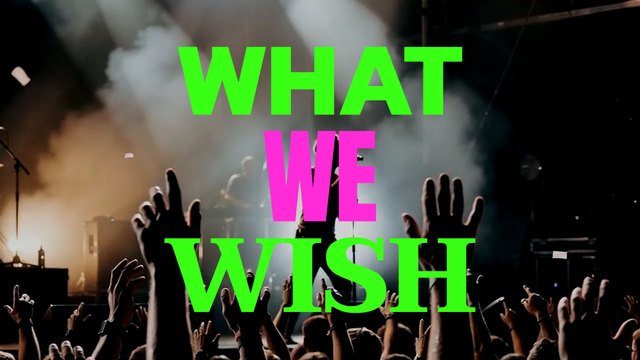
Kinetic type from the text you type, Thai or English, no files needed: block build-ups, stack, scroll, zoom, split and ticker.
Text · Mode · Font · Hold
WWW407 · KINETIC · 10 PRESETS · 2 BPM
ภาพนิ่งจากแต่ละพรีเซ็ต ของจริงขยับตลอด เลือกจากช่อง Preset ใน Resolume แล้วปรับสไลเดอร์ต่อได้ BPM = ขยับตามจังหวะเพลงOne still per preset; in Resolume they move. Pick one in the Preset box, then fine-tune the sliders. BPM = follows the beat.
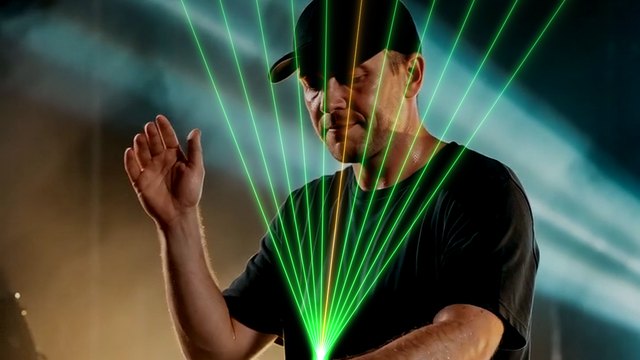
Laser-show graphics on black: a floor-rig laser show (fans, light sheets, scissors, bursts) plus tunnels, outline shapes and scan patterns.
Mode · Show Look · Beam Count · Colour
WWW402 · LASER · 10 PRESETS · 2 BPM
ภาพนิ่งจากแต่ละพรีเซ็ต ของจริงขยับตลอด เลือกจากช่อง Preset ใน Resolume แล้วปรับสไลเดอร์ต่อได้ BPM = ขยับตามจังหวะเพลงOne still per preset; in Resolume they move. Pick one in the Preset box, then fine-tune the sliders. BPM = follows the beat.
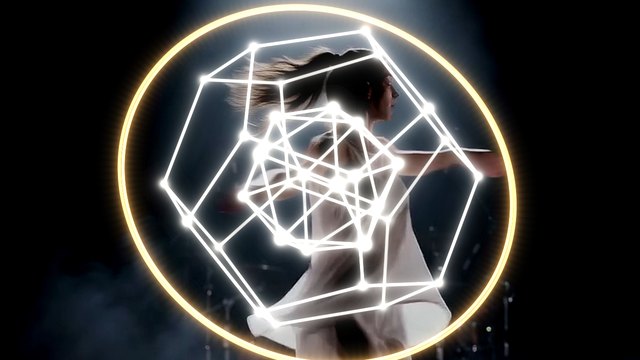
3D wireframe solids that turn, nest, split apart and assemble, with halo rings.
Mode · Spin · Line Width · Rings
WWW401 · POLYGON · 9 PRESETS · 2 BPM
ภาพนิ่งจากแต่ละพรีเซ็ต ของจริงขยับตลอด เลือกจากช่อง Preset ใน Resolume แล้วปรับสไลเดอร์ต่อได้ BPM = ขยับตามจังหวะเพลงOne still per preset; in Resolume they move. Pick one in the Preset box, then fine-tune the sliders. BPM = follows the beat.
ภาพนิ่งจากแต่ละพรีเซ็ต ของจริงขยับตลอด เลือกจากช่อง Preset ใน Resolume แล้วปรับสไลเดอร์ต่อได้ BPM = ขยับตามจังหวะเพลงOne still per preset; in Resolume they move. Pick one in the Preset box, then fine-tune the sliders. BPM = follows the beat.
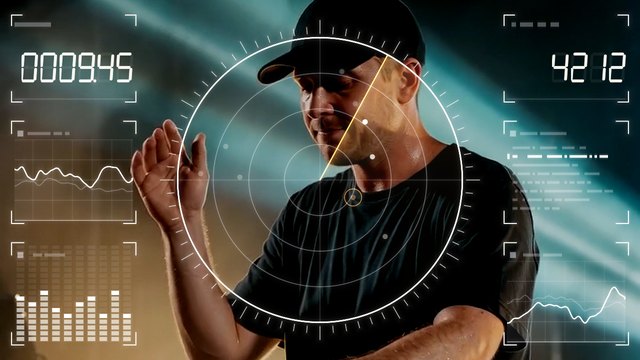
Sci-fi data screens: radar, graphs, running numbers and HUD frames for launches and tech stages.
Layout · Density · Number Style · Glow
WWW408 · READOUT · 10 PRESETS · 2 BPM
ภาพนิ่งจากแต่ละพรีเซ็ต ของจริงขยับตลอด เลือกจากช่อง Preset ใน Resolume แล้วปรับสไลเดอร์ต่อได้ BPM = ขยับตามจังหวะเพลงOne still per preset; in Resolume they move. Pick one in the Preset box, then fine-tune the sliders. BPM = follows the beat.
Star-filter glints and anamorphic streaks on the highlights: the concert-lens look for IMAG.
Style · Threshold · Length · Twinkle
WWW305 · GLINT · 10 PRESETS · 2 BPM
ภาพนิ่งจากแต่ละพรีเซ็ต ของจริงขยับตลอด เลือกจากช่อง Preset ใน Resolume แล้วปรับสไลเดอร์ต่อได้ BPM = ขยับตามจังหวะเพลงOne still per preset; in Resolume they move. Pick one in the Preset box, then fine-tune the sliders. BPM = follows the beat.
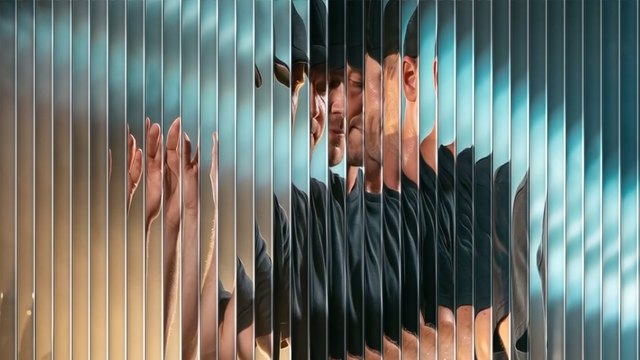
Seen through glass: fluted glass, glass bricks, lens grids and frosted panes, drifting slowly.
Pattern · Rib Size · Refraction · Frost
WWW304 · GLASS · 10 PRESETS · 2 BPM
ภาพนิ่งจากแต่ละพรีเซ็ต ของจริงขยับตลอด เลือกจากช่อง Preset ใน Resolume แล้วปรับสไลเดอร์ต่อได้ BPM = ขยับตามจังหวะเพลงOne still per preset; in Resolume they move. Pick one in the Preset box, then fine-tune the sliders. BPM = follows the beat.
Lightning, electric arcs and plasma branches on black or transparent.
Mode · Branching · Glow · Electrode X / Y
WWW410 · VOLTAGE · 10 PRESETS · 2 BPM
ภาพนิ่งจากแต่ละพรีเซ็ต ของจริงขยับตลอด เลือกจากช่อง Preset ใน Resolume แล้วปรับสไลเดอร์ต่อได้ BPM = ขยับตามจังหวะเพลงOne still per preset; in Resolume they move. Pick one in the Preset box, then fine-tune the sliders. BPM = follows the beat.
Brings your PNG logo to life: reveals, a light sweep, glow, a calm float and an optional beat hit.
File · Reveal Style · Sweep Period · Float Amount
WWW412 · EMBLEM · 10 PRESETS · 2 BPM
ภาพนิ่งจากแต่ละพรีเซ็ต ของจริงขยับตลอด เลือกจากช่อง Preset ใน Resolume แล้วปรับสไลเดอร์ต่อได้ BPM = ขยับตามจังหวะเพลงOne still per preset; in Resolume they move. Pick one in the Preset box, then fine-tune the sliders. BPM = follows the beat.
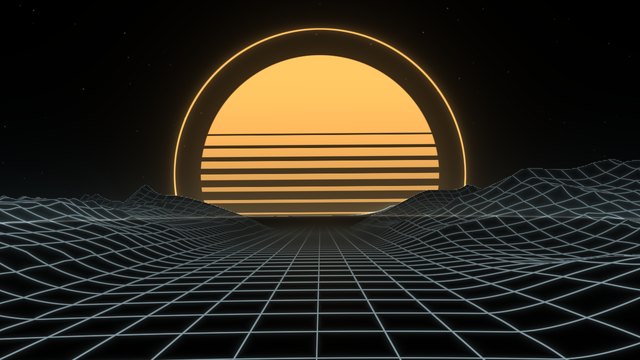
Retro grid floor and wireframe mountains under a sun, flying forward without end.
Scene · Grid Density · Sun · Haze
WWW403 · HORIZON · 10 PRESETS · 2 BPM
ภาพนิ่งจากแต่ละพรีเซ็ต ของจริงขยับตลอด เลือกจากช่อง Preset ใน Resolume แล้วปรับสไลเดอร์ต่อได้ BPM = ขยับตามจังหวะเพลงOne still per preset; in Resolume they move. Pick one in the Preset box, then fine-tune the sliders. BPM = follows the beat.
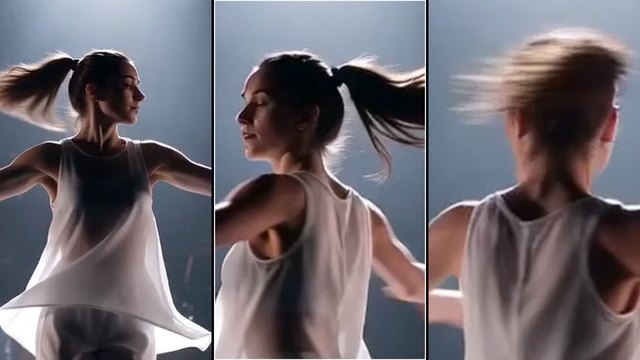
Multi-view IMAG layouts: 2/3/4/6/9-up, picture-in-picture and film strip, with borders and per-panel zoom and delay.
Layout · Gap / Border · Zoom Spread · Delay Step
WWW301 · SPLIT · 8 PRESETS · 2 BPM
ภาพนิ่งจากแต่ละพรีเซ็ต ของจริงขยับตลอด เลือกจากช่อง Preset ใน Resolume แล้วปรับสไลเดอร์ต่อได้ BPM = ขยับตามจังหวะเพลงOne still per preset; in Resolume they move. Pick one in the Preset box, then fine-tune the sliders. BPM = follows the beat.
ภาพนิ่งจากแต่ละพรีเซ็ต ของจริงขยับตลอด เลือกจากช่อง Preset ใน Resolume แล้วปรับสไลเดอร์ต่อได้ BPM = ขยับตามจังหวะเพลงOne still per preset; in Resolume they move. Pick one in the Preset box, then fine-tune the sliders. BPM = follows the beat.
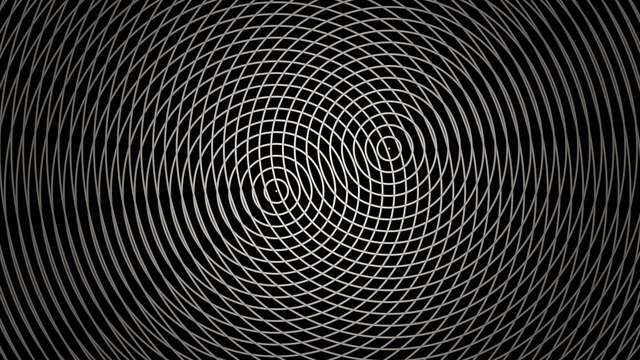
Op-art: interference rings, line waves and dot fields that make moire, mono by default.
Pattern · Density · Warp · XOR
WWW405 · MOIRE · 10 PRESETS · 2 BPM
ภาพนิ่งจากแต่ละพรีเซ็ต ของจริงขยับตลอด เลือกจากช่อง Preset ใน Resolume แล้วปรับสไลเดอร์ต่อได้ BPM = ขยับตามจังหวะเพลงOne still per preset; in Resolume they move. Pick one in the Preset box, then fine-tune the sliders. BPM = follows the beat.
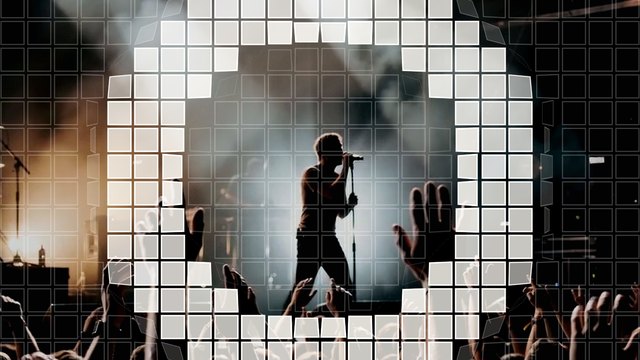
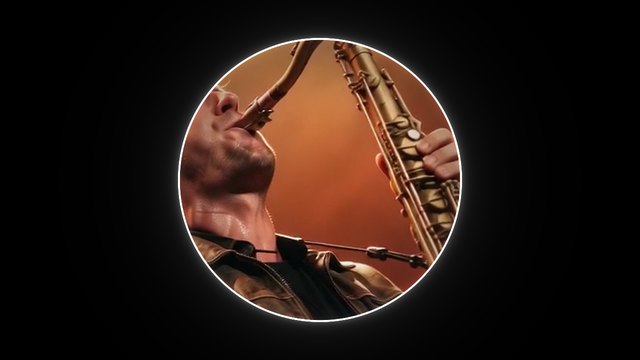
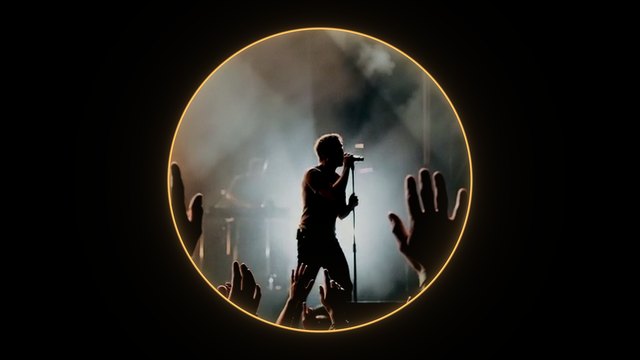
Shape windows over the picture: circle halo, hexagon, slots, stripes and portals that open and close, with a glowing frame.
Shape · Open · Frame Glow · Outside Dim
WWW302 · WINDOW · 10 PRESETS · 3 BPM
ภาพนิ่งจากแต่ละพรีเซ็ต ของจริงขยับตลอด เลือกจากช่อง Preset ใน Resolume แล้วปรับสไลเดอร์ต่อได้ BPM = ขยับตามจังหวะเพลงOne still per preset; in Resolume they move. Pick one in the Preset box, then fine-tune the sliders. BPM = follows the beat.
Hyperspace: stars stretching into light-speed streaks, with a punch-in moment.
Mode · Star Count · Streak Length · Punch
WWW404 · WARP · 10 PRESETS · 2 BPM
ภาพนิ่งจากแต่ละพรีเซ็ต ของจริงขยับตลอด เลือกจากช่อง Preset ใน Resolume แล้วปรับสไลเดอร์ต่อได้ BPM = ขยับตามจังหวะเพลงOne still per preset; in Resolume they move. Pick one in the Preset box, then fine-tune the sliders. BPM = follows the beat.
One-shot graphic transitions: hit the button or the bar, a shape covers the screen, then reveals.
Shape · Go · Auto · Duration
WWW411 · STINGER · 10 PRESETS · 2 BPM
ภาพนิ่งจากแต่ละพรีเซ็ต ของจริงขยับตลอด เลือกจากช่อง Preset ใน Resolume แล้วปรับสไลเดอร์ต่อได้ BPM = ขยับตามจังหวะเพลงOne still per preset; in Resolume they move. Pick one in the Preset box, then fine-tune the sliders. BPM = follows the beat.
01Iris Halo
02Iris Key
03Halo Rings
04Slat Sweep
05Slash Cut
06Blinds
07Module Wave
08Split Doors
09Iris Bar BPM
10Slat Hit BPM
(ฟุตเทจนักแสดงสร้างด้วย AI · เอฟเฟกต์เป็นภาพจริงจากปลั๊กอิน)(Performer footage is AI-generated · the effects are real plugin output)
ซื้อครั้งเดียว ได้ครบ 16 ตัวOne purchase, all 16
ในแพ็กIN THE PACK
11 ตัวสร้างภาพ + 5 เอฟเฟกต์ 153 พรีเซ็ตพร้อมใช้ ครบทุกตัว ทุกตัวมีพรีเซ็ตที่ขยับตามจังหวะเพลง (BPM) อัปเดต Vol.2 V1.x ฟรี ใช้ในงานเชิงพาณิชย์ได้11 sources + 5 effects 153 ready-made presets across all 16 Beat-synced (BPM) presets on every one Free Vol.2 V1.x updates Commercial shows allowed
Resolume
Resolume Arena 7.x Resolume Avenue 7.x อยู่ในแท็บ Effects / Sources เหมือนเอฟเฟกต์ปกติShows up in Effects and Sources like any built-in
คอมพิวเตอร์COMPUTERS
Mac Apple Silicon (M1 ขึ้นไป)Mac with Apple Silicon (M1 or later) Mac Intel Windows 10 / 11 64-bit (x64) Mac ติดตั้งด้วยตัวติดตั้ง, Windows แตก zip แล้วก๊อปไฟล์Mac installer · Windows zip
คู่กับ VOL.1WITH VOL.1
เป็นแพ็กแยกจาก LIVE FX Vol.1 (32 ตัว) ติดตั้งคู่กันได้ ไม่ทับกัน ถ้ามีทั้งสองแพ็ก ใช้คีย์เดียวกันได้A separate pack from LIVE FX Vol.1 (32 items); both install side by side Own both? One key holds both
ไลเซนส์LICENSING
1 คีย์ ใช้ได้ทีละ 1 เครื่องOne key, one computer at a time
ไม่มี dongle ไม่ต้องสมัครบัญชีหรือล็อกอินNo dongle, no account to log in to.
วางคีย์ในช่อง License Key ของ WWW3xx/WWW4xx ตัวไหนก็ได้ใน Arena ต่อเน็ตแค่ครั้งแรก แล้วปลดล็อกครบทั้ง 16 ตัวในเครื่องนั้น ถ้าในเครื่องมีคีย์ LIVE FX ที่มี Vol.2 อยู่แล้ว ปลั๊กอิน Vol.2 จะอ่านคีย์นั้นให้เองPaste your key into the License Key box of any WWW3xx/WWW4xx in Arena. It needs internet once, then all 16 unlock on that computer. Already have a LIVE FX key with Vol.2 on that computer? Vol.2 picks it up by itself.
ไลเซนส์ต่ออายุตัวเองทุก 14 วัน เมื่อเครื่องต่อเน็ต ไม่ต้องกดอะไร โชว์ที่ไม่มีเน็ตก็เล่นได้ปกติIt renews itself every 14 days whenever the computer is online. Offline shows are fine.
ไม่มีการเด้งกลับเป็นโหมด trial กลางโชว์ ถ้าไลเซนส์ต้องเช็คอิน จะเห็นผลตอนเปิด Arena ครั้งถัดไปเท่านั้นIt never switches to trial mid-show. If a check-in is due, you only see it the next time Arena starts.
เปลี่ยนเครื่อง: วางคีย์เดิมในเครื่องใหม่ เครื่องเก่าจะหยุดเองเมื่อเช็คอินครั้งถัดไป ย้ายได้สูงสุด 3 ครั้งใน 30 วัน Vol.1 + Vol.2 ในเครื่องเดียวกันนับเป็น 1 เครื่องNew computer? Paste the key there. The old one stops at its next check-in. Up to 3 moves per 30 days. Vol.1 + Vol.2 on one computer count as one.
FREE TRIAL
ลองก่อน 4 ตัว ในงานจริงของคุณTry 4 free, in your own rig
ทำงานเต็มคุณภาพ แต่มีลายน้ำ TRIAL ซื้อคีย์แล้ววางคีย์ ลายน้ำหายทันที ไม่ต้องลงใหม่Full quality, with a TRIAL watermark. Buy a key and the watermark goes away, no reinstall.
ครบ 16 ตัว ใช้ทีละ 1 เครื่อง จ่ายด้วยบัตรเครดิต/เดบิตได้ทั่วโลก (บัตรต่างประเทศเห็นราคาเป็นสกุลเงินของตัวเอง) หรือ PromptPayAll 16, 1 computer at a time. Pay by credit or debit card from any country (foreign cards see the price in their own currency), or PromptPay in Thailand.
VISA · MASTERCARD · AMEX · APPLE PAY · GOOGLE PAY · PROMPTPAY
Vol.2 จะเพิ่มเข้าคีย์เดิมของคุณ · ใส่โค้ดส่วนลดในหน้าชำระเงิน (ช่อง Add promotion code)Vol.2 will be added to your existing key · enter your code at checkout (under "Add promotion code")
มี Vol.1 อยู่แล้ว? โค้ดส่วนลดเจ้าของ Vol.1 ของคุณอยู่ในอีเมล เปิดลิงก์ในอีเมลนั้น Vol.2 จะเข้าคีย์เดิม แล้วใส่โค้ดในหน้าชำระเงินAlready own Vol.1? Your Vol.1 owner discount code is in your email. Open the link in that email so Vol.2 lands on your existing key, then enter the code at checkout.
จ่ายแล้วเห็นคีย์บนหน้าจอทันที พร้อมปุ่มดาวน์โหลด และส่งคีย์ทางอีเมลด้วย คืนเงินได้ใน 7 วันถ้าใช้กับเครื่องคุณไม่ได้ การสั่งซื้อถือว่าคุณยอมรับเงื่อนไขไลเซนส์และนโยบายคืนเงินRight after payment your key appears on screen with the download buttons, and it is emailed to you too. 7-day refund if it doesn't run on your machine. By buying you agree to the license terms and refund policy.
ก่อนซื้อBefore you buy
Vol.2 ต่างจาก Vol.1 ยังไงHow is Vol.2 different from Vol.1?
Vol.1 (32 items, ฿3,290) is mostly effects for the camera on stage. Vol.2 (16 items) is mostly ready-made graphics and sources: kinetic type, laser-show graphics, geometry, sci-fi HUD readouts, transitions, logo animation. They are separate packs: buy either one, or both.
จ่ายแล้วได้อะไร ทำยังไงต่อWhat happens after I pay?
You land on a page with your license key and the Mac / Windows download buttons, and the key is emailed to you too (check spam or Promotions if you don't see it). PromptPay can take a few seconds to confirm. Install, open Resolume, add any WWW3xx/WWW4xx item and paste the key into its License Key box. Internet is needed once; all 16 unlock together. Already installed the trial? Just paste the key, no reinstall. Install guide
Mac ขึ้นว่าเปิดตัวติดตั้งไม่ได้ ทำยังไงMy Mac says the installer "can't be opened"
ปกติครับ ตัวติดตั้งยังไม่ได้ลงทะเบียนกับ Apple ให้ไปที่ System Settings › Privacy & Security เลื่อนลงไปกด Open Anyway (อาจถามรหัสผ่านเครื่อง) แล้วเปิดตัวติดตั้งอีกครั้ง ทำครั้งเดียว · Windows: คลิกขวาไฟล์ zip › Properties › ติ๊ก Unblock ก่อนแตกไฟล์ (ดูวิธีทีละขั้น)
Expected: the installer isn't registered with Apple yet. Go to System Settings › Privacy & Security, scroll down, click Open Anyway (it may ask for your Mac password), then open the installer again. Once only. Windows: right-click the zip › Properties › tick Unblock before unzipping (step by step).
ติดตั้งคู่กับ Vol.1 ได้ไหมDo Vol.1 and Vol.2 install side by side?
ได้ Vol.2 ติดตั้งในโฟลเดอร์ของตัวเอง (WWWLABS LIVE FX Vol.2) ข้างๆ Vol.1 ไม่ทับกัน ทั้งสองแพ็กขึ้นใน Resolume พร้อมกัน Vol.1 เป็น WWW1xx/WWW2xx ส่วน Vol.2 เป็น WWW3xx/WWW4xx
Yes. Vol.2 installs into its own folder (WWWLABS LIVE FX Vol.2) next to Vol.1; neither touches the other, and both show up in Resolume. Vol.1 is WWW1xx/WWW2xx, Vol.2 is WWW3xx/WWW4xx.
มีทั้งสองแพ็ก ต้องใช้กี่คีย์Own both? How many keys?
One. The Vol.1 + Vol.2 bundle gives you one key that holds both. Already own Vol.1? Open the Vol.2 link in the email we sent you and Vol.2 is added to your existing key. One computer at a time (Vol.1 + Vol.2 on one computer count as one).
Four: Split, Polygon, Laser and Kinetic, at full quality with a TRIAL watermark. Buy, paste the key, and the watermark goes; no reinstall. Get the trial
ใช้กับเครื่องไม่ได้ คืนเงินได้ไหมWhat if it doesn't run on my machine?
You get a refund within 7 days if it doesn't run on your machine. Try the free trial first to check. Refund policy
ใช้กับ Mac / Windows / Resolume เวอร์ชันไหนWhich Mac, Windows and Resolume versions?
เหมือน Vol.1: Resolume Arena และ Avenue 7 · Mac Apple Silicon (M1 ขึ้นไป) และ Intel · Windows 10 / 11 64-bit ลองตัวฟรีก่อนได้เพื่อเช็คกับเครื่องและเวอร์ชันที่ใช้จริง
Same as Vol.1: Resolume Arena and Avenue 7 · Mac with Apple Silicon (M1 or later) or Intel · Windows 10 / 11 64-bit. Try the free trial to check it on your own machine and version.
ซื้อแค่บางตัวได้ไหม อัปเกรดทีหลังได้ไหมCan I buy just a few, and upgrade later?
Yes. Pick any 3 from Vol.2 for ฿990, add another 3 later on the same key, or upgrade to all 16 by paying only the difference from ฿1,590 on the upgrade page. You download the full pack: your picks run clean, the rest stay in trial.
จ่ายด้วยบัตรต่างประเทศได้ไหมCan I pay by card from outside Thailand?
ได้ รับบัตรเครดิต/เดบิต Visa, Mastercard, Amex จากทุกประเทศ รวมถึง Apple Pay และ Google Pay บัตรต่างประเทศจะเห็นราคาเป็นสกุลเงินของตัวเอง คนไทยจ่ายผ่าน PromptPay ได้ด้วย
Yes. Visa, Mastercard and Amex credit or debit cards from any country, plus Apple Pay and Google Pay. Foreign cards see the price in their own currency. PromptPay is also available in Thailand.
งานที่ไม่มีอินเทอร์เน็ตใช้ได้ไหมDoes it work at shows with no internet?
Yes. Once activated, the license runs 14 days offline and renews itself whenever the computer is online. Open Arena online once before show day. It never drops to trial mid-show.
วิดีโอตัวอย่างเป็นภาพจริงไหมAre the preview videos real?
ฟุตเทจนักแสดงในตัวอย่างสร้างด้วย AI ส่วนกราฟิกและเอฟเฟกต์ที่เห็นเป็นภาพจริงที่เรนเดอร์จากปลั๊กอินตัวที่ขาย
The performer footage in the previews is AI-generated. The graphics and effects you see are real output, rendered from the plugins we sell.